Entra Backup and Recovery

Presentation of Entra Backup and Recovery
Microsoft Entra Backup and Recovery is a new feature that allows you to back up and restore critical directory objects. This makes it easier to protect yourself against accidental deletion or potential compromise. We can protect users, groups, applications, service principals, Conditional Access policies, named locations, authentication method policy, and partial authorization policy.
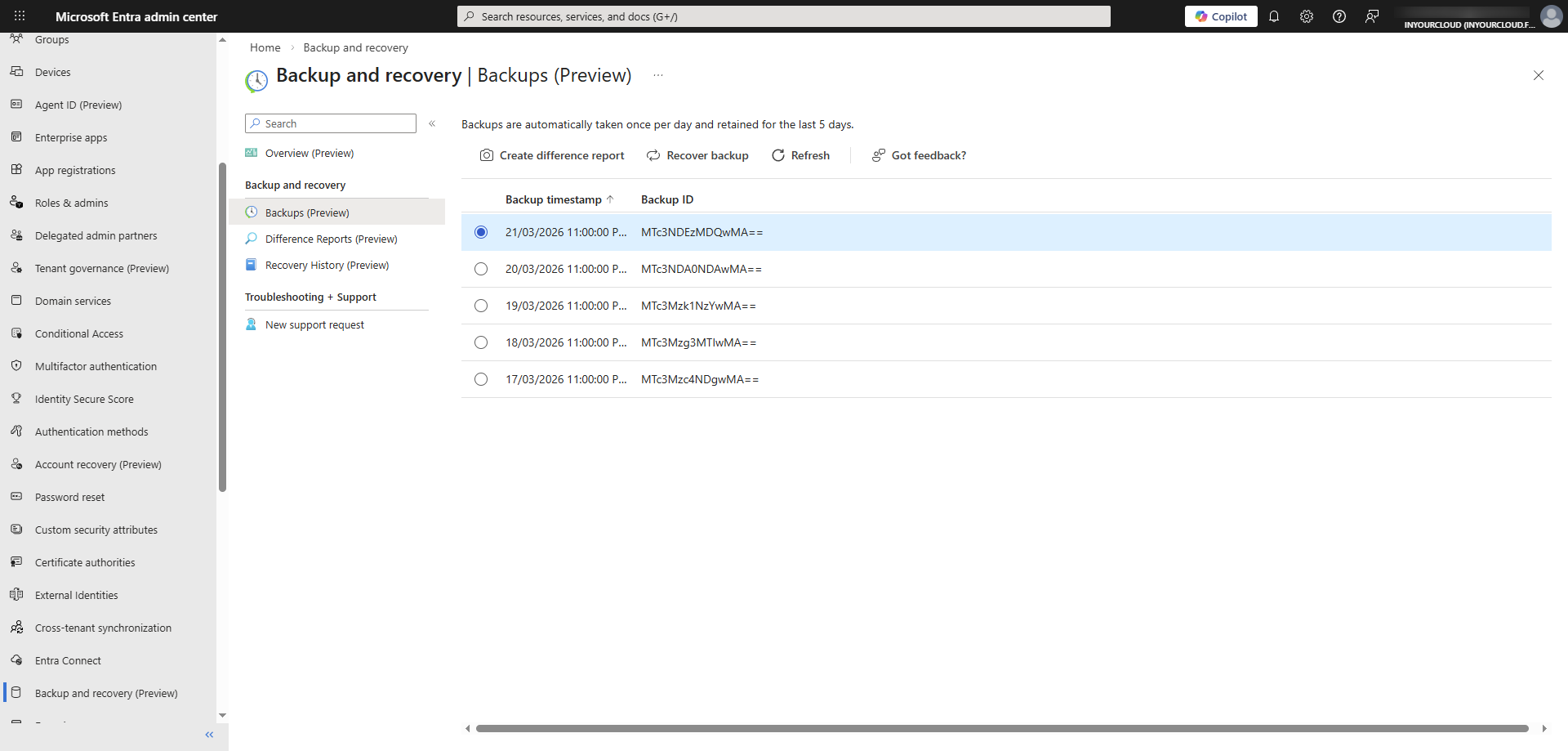
Backups are performed automatically once a day with a retention period of five days. Only an administrator can access the backup. Neither an application nor a user with elevated permissions can delete or modify the backup. It is important to note that backup data is stored in the same geographic location as Microsoft Entra. With Microsoft Entra Backup and Recovery, it’s possible to perform some actions.
- View available backups: View the list of available backups.
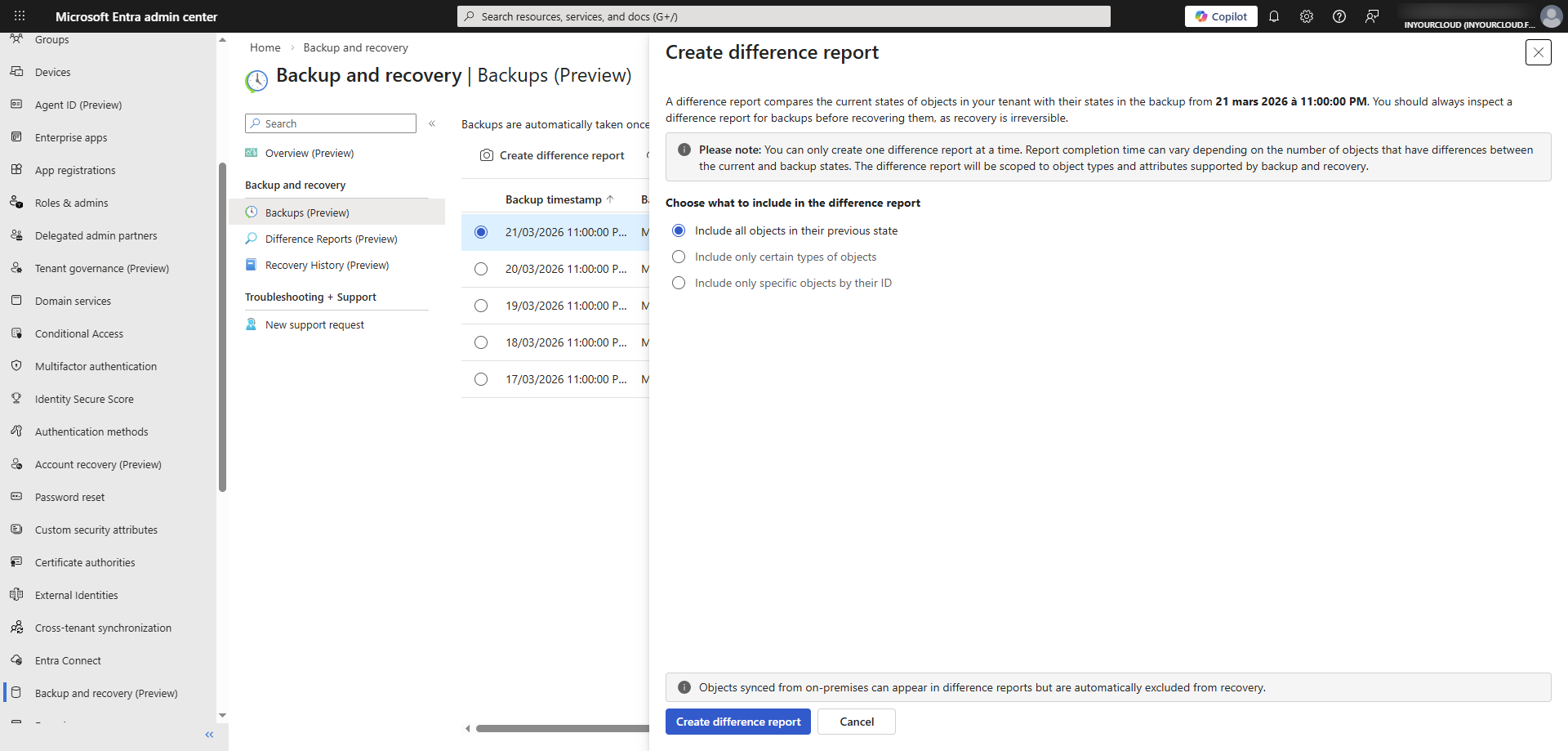
- Create reports: Before restore objects, it’s possible to compare the tenant’s current state to a backup by creating a difference report.
- Restore objects: Possibility to restore all objects or select objects (object by object type or object ID.)
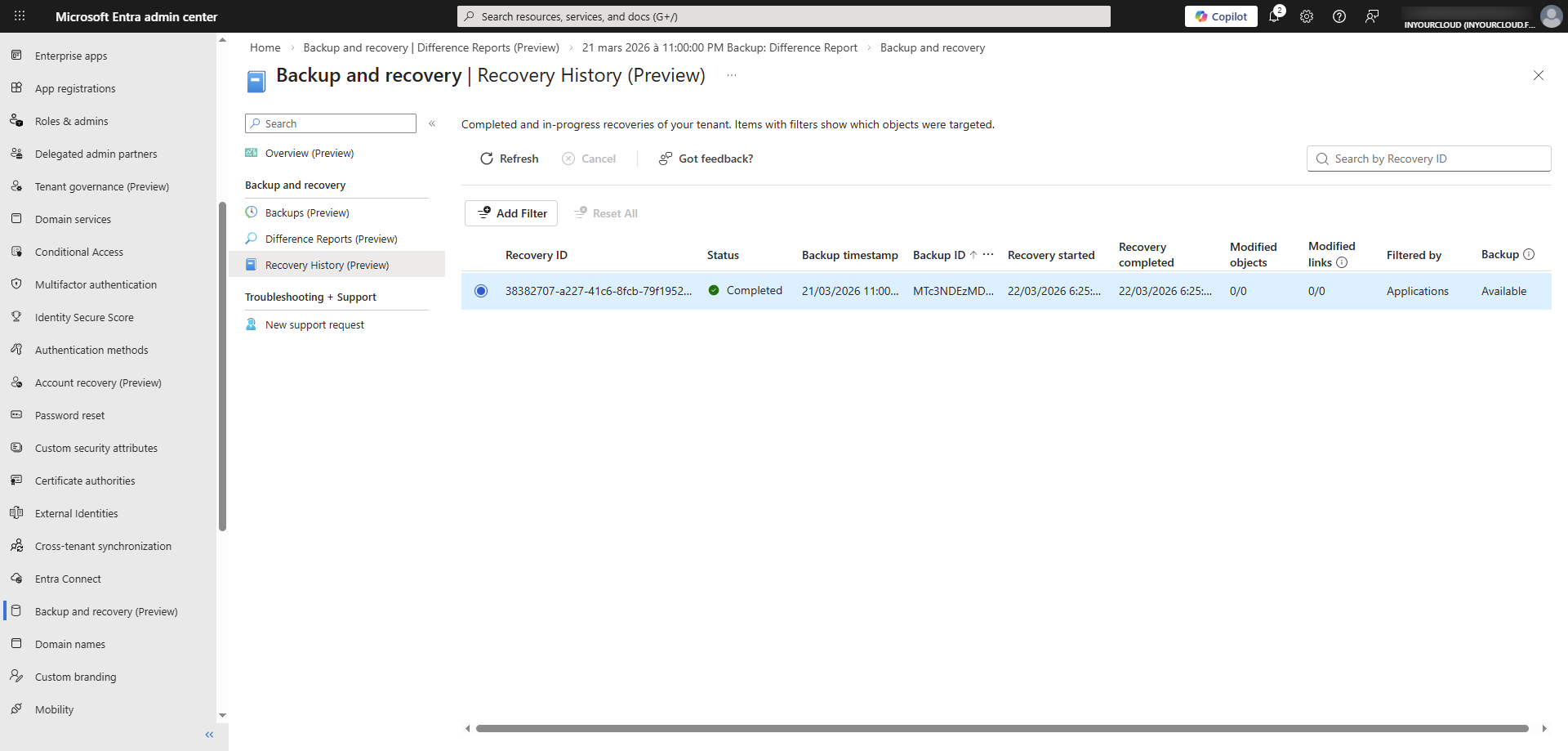
- Review the restore history: View completed and in-progress restore operations.
Prerequisites
The following prerequisites must be taken into account before implementing Entra Backup and Recovery. First, you must have an Entra P1 or P2 license. It is also necessary to have at least one of the two roles.
- Microsoft Entra Backup Reader:This role permit to view backups, and comparisons of changed objects between backup and current state. He permit also to review recovery history.
- Microsoft Entra Backup Administrator:This role permit to have all permissions of Microsoft Entra Backup Reader roles, and the possibility to initiate difference reports and trigger recovery for changed objects. Note that all the permissions of Microsoft Entra Backup Administrator are included in the Global Administrator role.
For the organizations that use hybrid Identity with Microsoft Entra ID, we can create different reports to identify changes on the synchronised objects.
View Backup on Entra
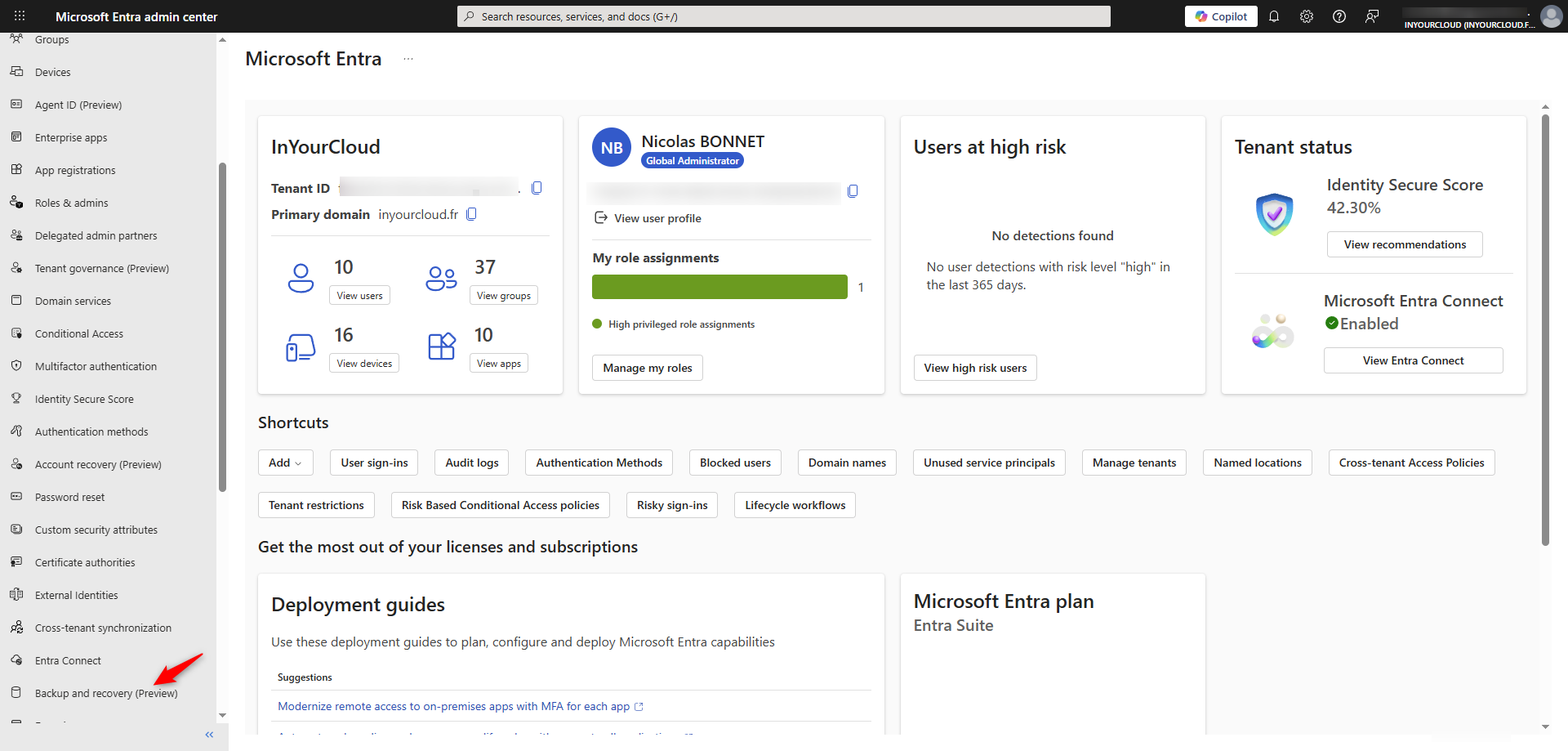
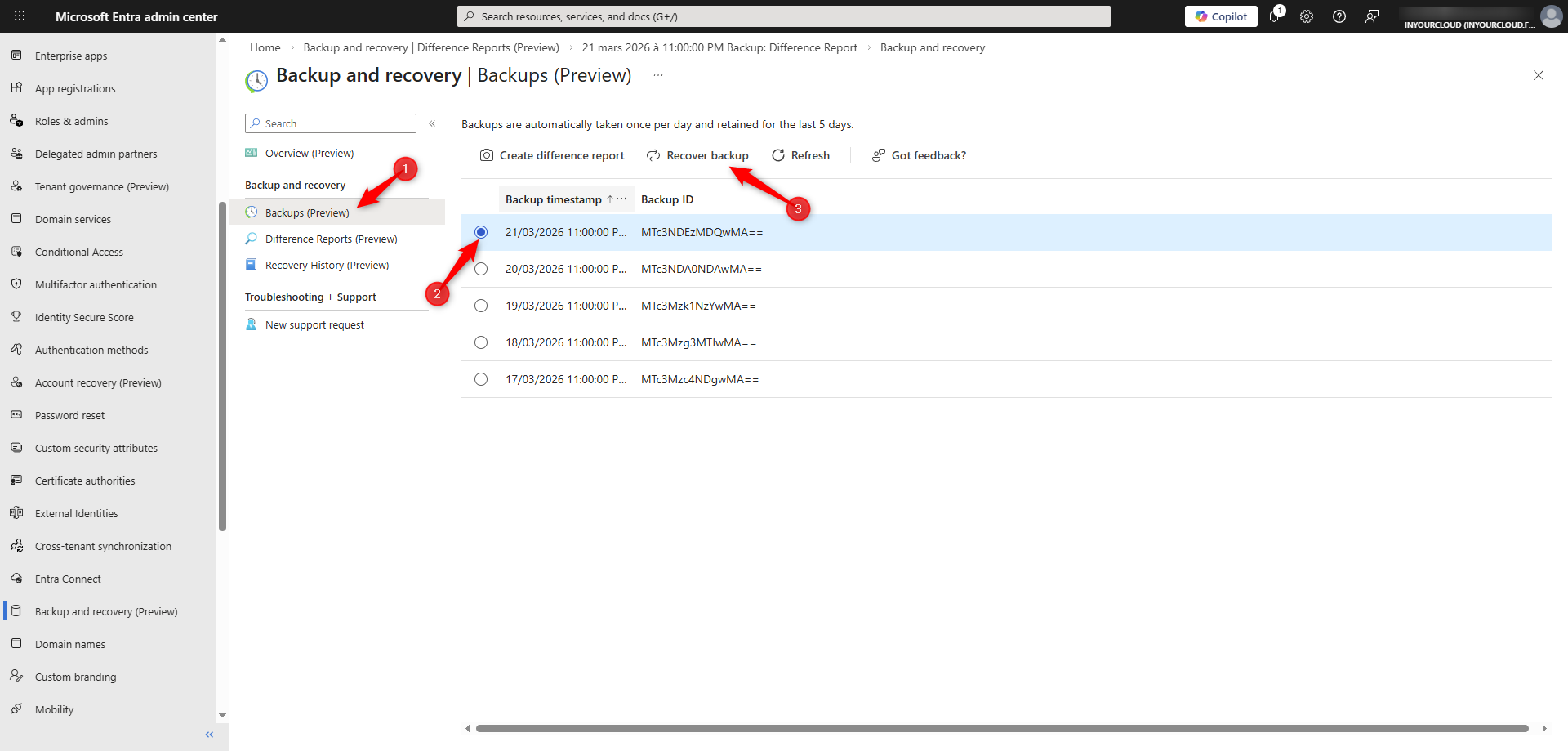
From the Entra portal, click on Backup and Recovery.
Click on Backups, the list of the backup appear. We can see that a backup is created every day.Select a backup to enable the option available. Create difference report: allows you to create a report showing the differences between the object in the tenant and the one in the backup. Recover Backup: allows you to restore an object.
Select the deisred backup and click on Create difference report. You can include all objects or just a selection
Depending of the number of objets, the creation can take more time. Click on Difference reports to see the report created. For the first reports, the estimation time is :
- 1 to 50 000 objects : until 1 hour
- 50 000 to 300 000 objects : until 1 hour and 30 minutes
- 300 000 to 1 000 000 objects : until 2 hours
- more to 1 000 000 objects : until 2 hours and 30 minutes
We can see the status as well as the start and end times. Click on the report ID to view the report.
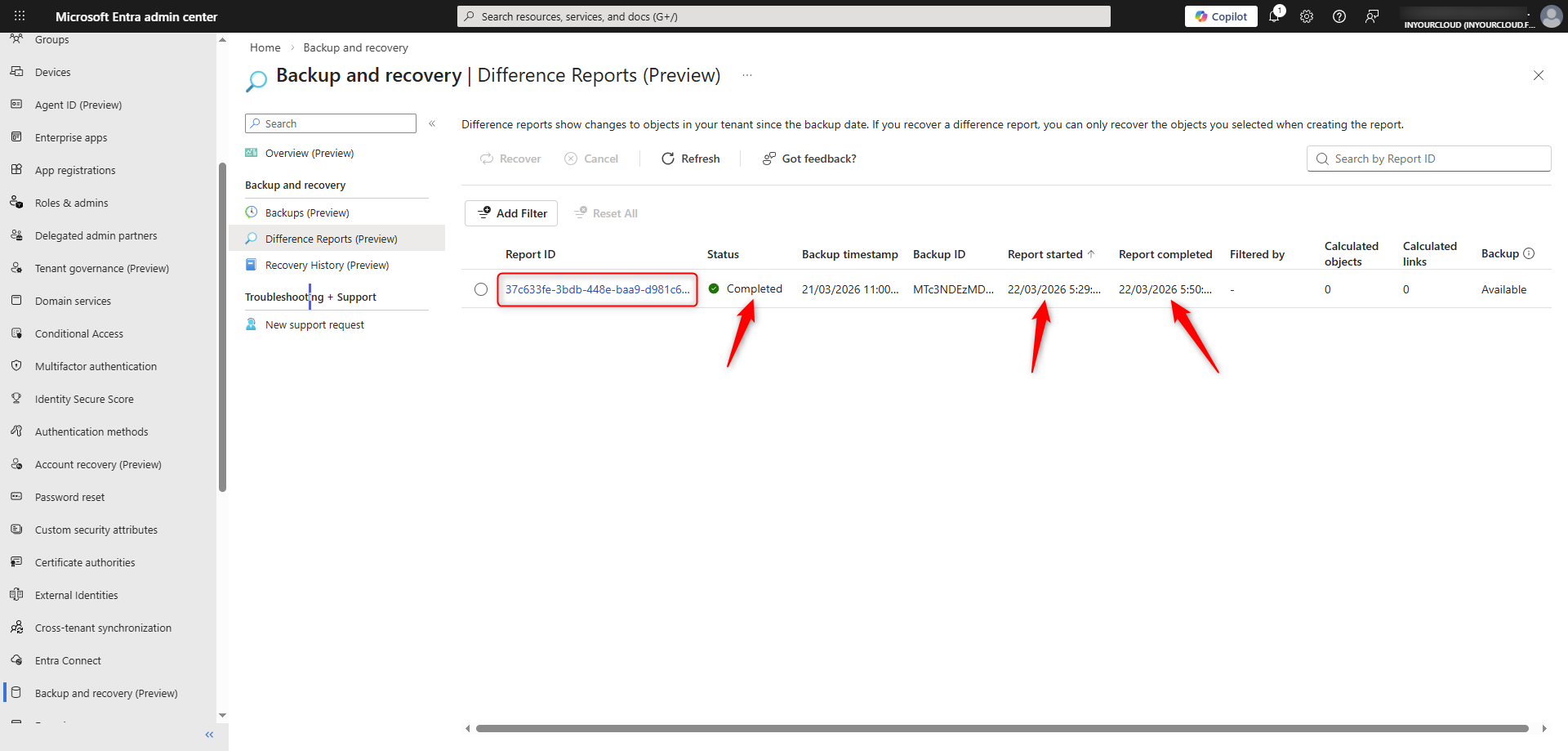
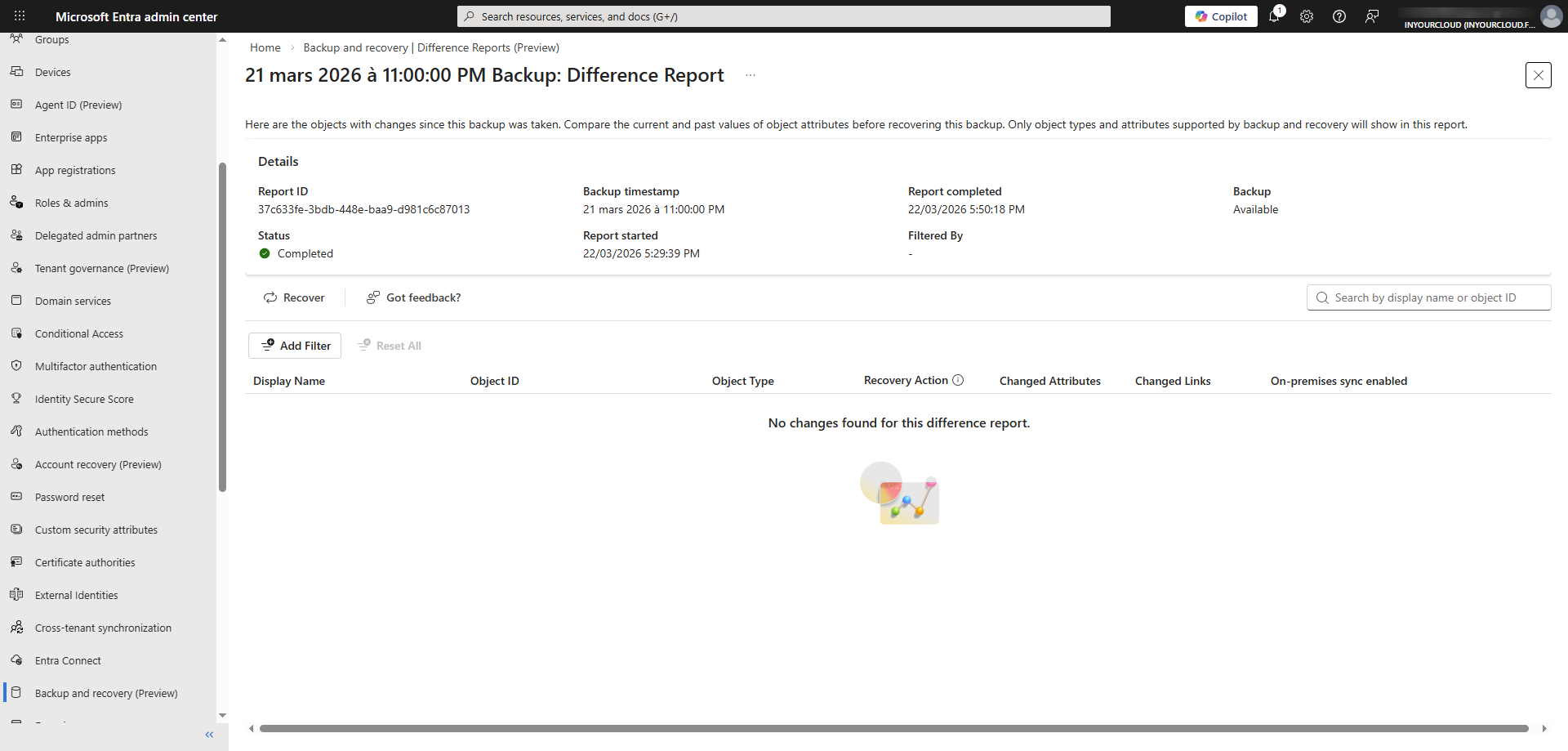
No changes found (good news)….
Recover objects
From the Entra portal, click
A message will appear; click on Recover backup. Select the type of object that you want then click on Recover.
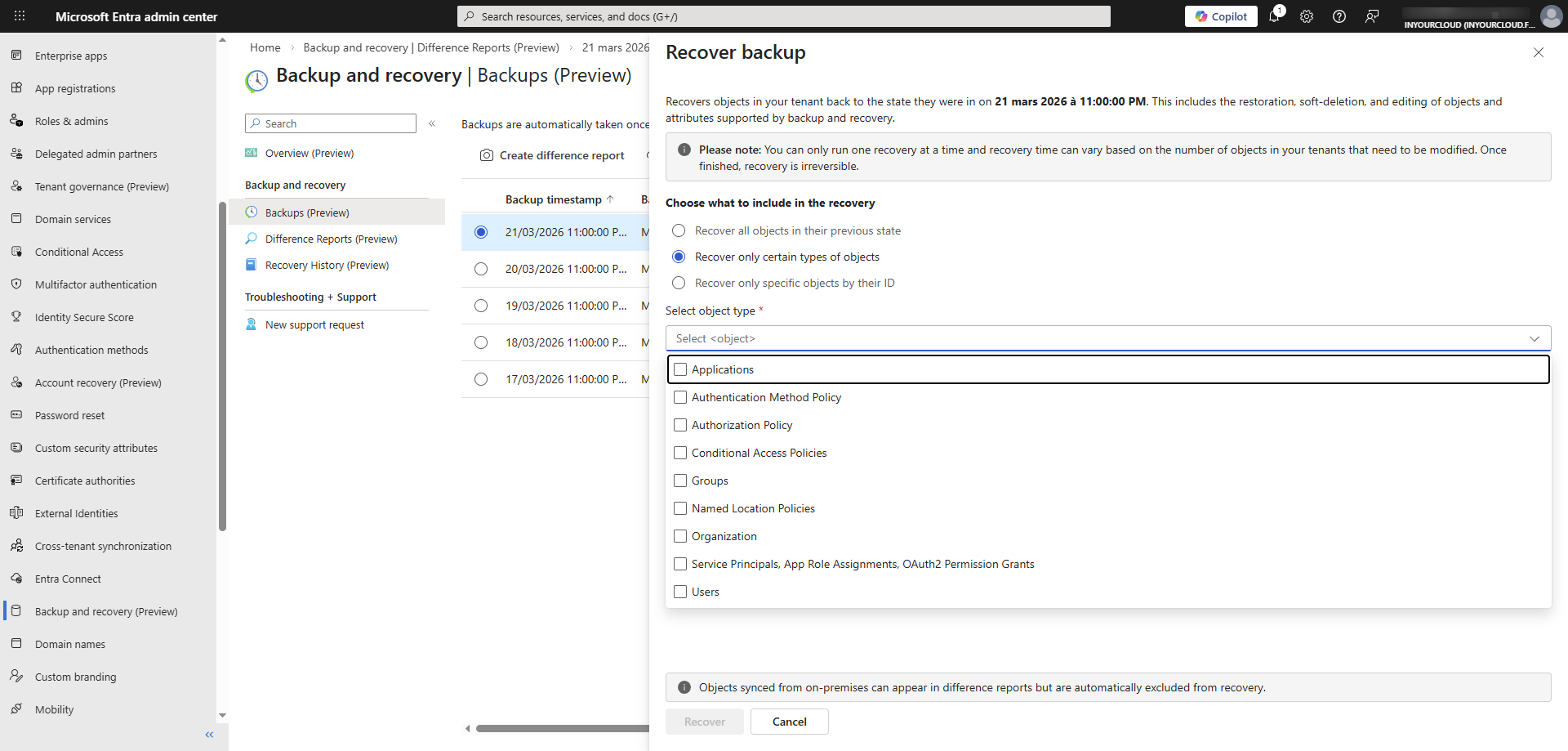
I have selected the Recover only certain types of objects then i have selected Applications. We can see on the report that all application is recover. For granularity use Recover only specific objects by their ID.